
Choose tools for your next newsletter issue
Compare two AI writing options and a dedicated sending platform by the job they perform. Follow the worked example to turn verified notes into an issue with one clear reader action.
Best AI Writing Tools 2026
Compare the broader AI writing stack when your newsletter workflow also includes longer-form articles and editorial planning.
AI Tools for Writers and Bloggers
Use this companion guide when the same tools need to support blog posts, drafts, and recurring creator output.
What are the best AI tools for newsletter writing?
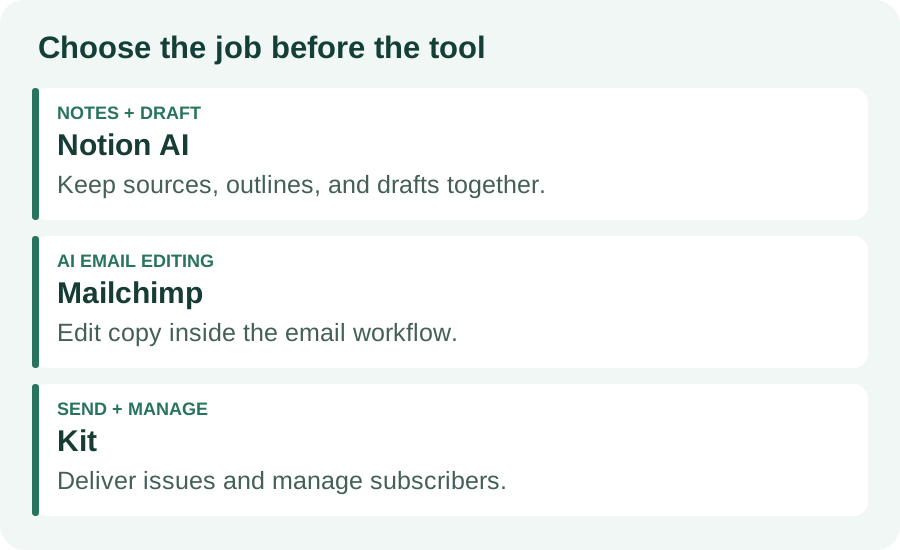
Notion AI is a useful fit when research and drafts already live in Notion. Mailchimp suits teams that want AI editing inside their email workflow. Kit is a sending and subscriber-management option; this guide does not recommend it as an AI writer. Choose the tool that fixes your current bottleneck.
Can AI write and send a newsletter automatically?
Writing assistance and email delivery are separate tasks. AI can organize notes and draft copy, while an email platform manages subscribers and sending. Review facts, permissions, links, audience selection, and the final email before scheduling it.
How do I keep an AI newsletter from sounding generic?
Give the model approved sources, a defined reader, a specific point of view, and a short sample of your own writing. Ask it to flag missing evidence. Edit the opening and recommendation yourself, and remove claims you cannot verify.
Do I need a paid AI newsletter tool?
Start with the writing and email tools you already use. AI access, subscriber limits, and automation features vary by plan. Check current provider terms and evaluate one complete issue before adding a subscription.
MANUAL INQUIRY
Need ClaudeCode or GPT recharge help?
Use the inquiry pages for ClaudeCode, GPT recharge, assisted purchase, and team sourcing.
Automatic payment is not configured. Pricing, region support, and timing are confirmed manually.

The best AI tools for newsletter writing solve a specific problem: turning trustworthy source material into an email your readers can use. Choose Notion AI if your notes already live in Notion, or Mailchimp if you want writing assistance inside your email editor. Consider Kit for delivery and subscriber management when you already have a drafting tool.
You do not need all three. Start with the part of your weekly process that breaks most often: collecting evidence, drafting a clear issue, or getting the finished email to the right subscribers. The recommendations below reflect documented features, not a hands-on speed or deliverability benchmark.
Best AI tools for newsletter writing: compare the jobsNotion AI: choose it when your evidence already lives thereMailchimp: choose it when editing and sending belong togetherKit: choose it for the sending layerA source-first weekly newsletter workflowCopy this prompt, then review the outputWorked example: from notes to one useful issuePre-send checks and common mistakesRelated writing guidesFrequently asked questionsWhat are the best AI tools for newsletter writing?Can AI write and send a newsletter automatically?How do I keep an AI newsletter from sounding generic?Do I need a paid AI newsletter tool?
Best AI tools for newsletter writing: compare the jobs
A writing assistant and an email service are different purchases. Compare them by what they remove from your workflow, then check the current plan limits before moving your list or buying another subscription.
Tool | Best fit | Check before choosing |
Notion AI | Research notes, outlines, and drafts in one workspace | AI access and workspace permissions; use a separate email service for delivery |
Mailchimp | AI copy editing inside an email marketing workflow | Plan eligibility and available AI features in your account |
Kit | Sending newsletters and managing subscriber segments | Treat it as the sending layer here, not as the AI writing recommendation |
Notion AI: choose it when your evidence already lives there
Notion documents AI features for summarizing, drafting, rewriting, and improving tone or grammar. For a recurring newsletter, keep one page per issue with the audience, source links, your observations, and a draft. Ask AI to group the notes into an outline before asking for prose. This makes the editor’s evidence visible alongside the output.
Use this setup when moving notes between apps is the main source of friction. Check which pages the assistant can access, and remove confidential client details from material that does not belong in a public issue. Notion is the workspace in this setup; an email platform still handles opt-in subscribers, unsubscribe links, and delivery.
Mailchimp: choose it when editing and sending belong together
Mailchimp describes AI tools for generating, rewriting, and polishing email content in its marketing workflow. This is a practical option when the draft keeps changing after it reaches the email editor. Work on the headline, preview text, and body together, then review the rendered email instead of approving a document that may look different in an inbox.
Check the AI features and eligibility available in your account before subscribing. A generated subject line is a candidate to review, not a promise of higher opens. Confirm that it describes the actual issue and that the preview text adds information rather than repeating the subject.
Kit: choose it for the sending layer
Kit’s email marketing offering includes newsletters, templates, segmentation, automations, and reporting. It belongs in this comparison because an AI draft still needs a delivery system. Use it when you want to keep your writing process separate from subscriber management. This guide does not count Kit as one of the AI writers.
Keep the handoff simple: move an approved draft into a reusable template, select the intended audience, and send a test email. If you already have a working email service, compare the cost and migration effort before switching. A new sender will not fix an unclear editorial promise.
A source-first weekly newsletter workflow
Build each issue around one question your readers need answered. For a small business newsletter, that could be: “What should I check before publishing a booking page?” Collect only the material needed to answer that question. Keep the source URL, date, exact supporting detail, and your interpretation in separate fields.
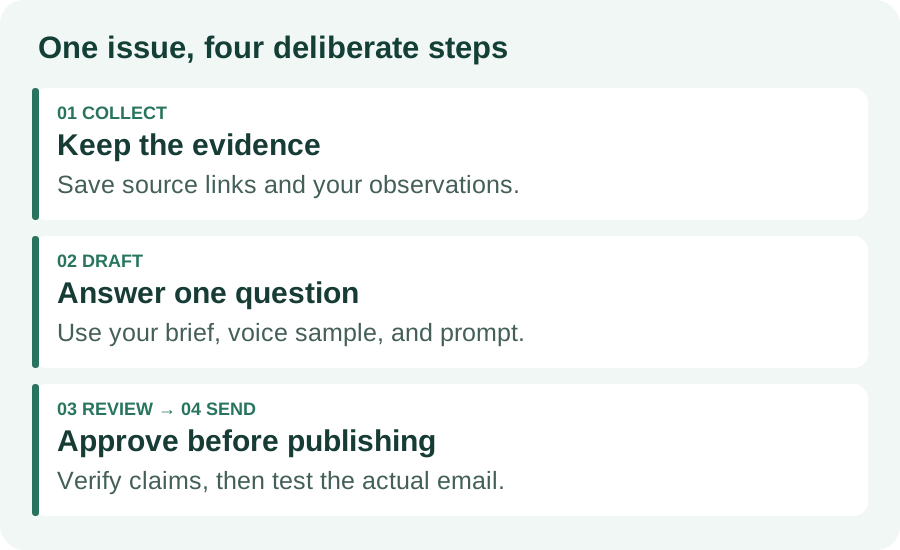
First, choose three to five useful inputs and discard material that repeats the same point. Second, write your own one-sentence recommendation. Third, ask the assistant for an outline and a draft grounded in those inputs. Fourth, edit the recommendation, check every claim against the sources, and move the approved text into your email template.
Save last week’s issue beside the current brief. Ask for repeated phrases or overlapping advice to be flagged, rather than asking the model to invent a fresh angle without evidence. A series stays consistent when its reader promise is stable and each issue answers a different concrete question.
Copy this prompt, then review the output
Use the following prompt in the writing assistant you already have. Replace each bracketed field and provide the approved notes below it. If a note is uncertain, label it as uncertain before asking for a draft.
Write a newsletter draft for [reader] answering [one question]. Use only the approved notes and source links below. My recommendation is [your point of view]. Follow this short voice sample: [your writing]. Produce a subject under 50 characters, preview text, a 250–350 word body, and one call to action. Preserve source links next to factual claims. Do not invent statistics, quotes, product features, or personal experience. Put missing evidence in an “Editor checks” list outside the draft. Avoid repeating the previous issue: [paste issue or summary].
Run a second pass that asks for unsupported claims, vague sentences, and missing context. Compare that list with the original notes yourself. An assistant can overlook its own errors, so a clean self-review is not evidence that the draft is accurate. Keep the checks separate from the text you paste into the email editor.
Worked example: from notes to one useful issue
This is an illustrative issue for a newsletter aimed at independent service businesses. Its approved notes are observations supplied by the editor: a booking page needs a clear service description, an accurate price or quote process, and a working confirmation path. No conversion improvement or customer result is assumed.
Subject: Before you share that booking link Preview: Check the promise, price, and next step. Your next customer should be able to answer three questions before booking: What am I getting? What will it cost? What happens next? Open your booking page on your phone. Read the service description without relying on what you already know about the business. If the price is a quote, say how the quote works. Then follow the booking path and check that the confirmation explains the next step. My recommendation: fix the first unclear answer before adding another promotional section. This week’s action: review one booking page and write down the first question it leaves unanswered.
The editor supplies the recommendation and checks the booking behavior. AI can tighten the wording or propose another subject, but it should not turn this example into a claim that the changes increased revenue. For your own issue, add a real observation and a source where relevant, then choose one action readers can complete.
Pre-send checks and common mistakes
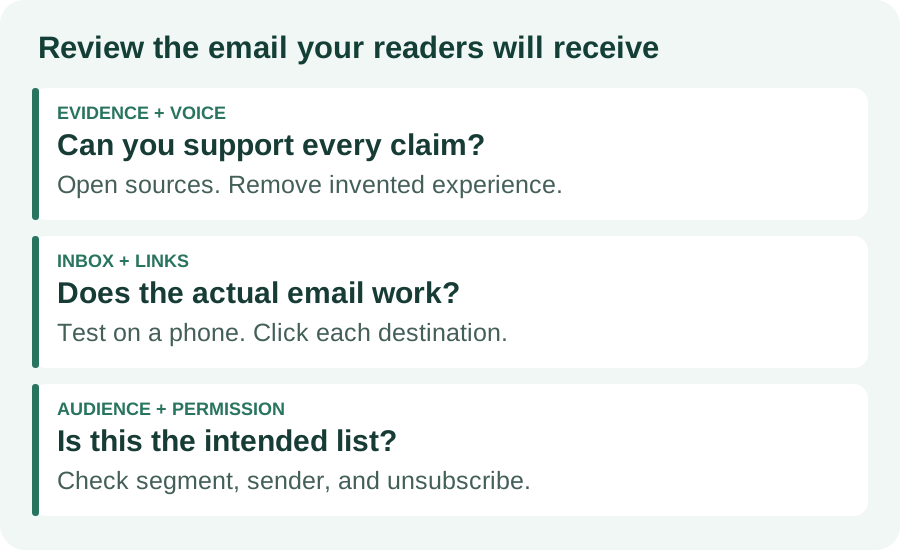
Evidence and voice: open every source link, verify names and dates, remove invented experience, and read the opening aloud. Do not publish the assistant’s “Editor checks” section. When repurposing a blog post, check that the issue adds a focused recommendation instead of reproducing the entire article.
Inbox and links: send a test to an inbox you control, inspect it on a phone, and click each destination. Check the subject and preview together. Keep the main action visible and remove competing calls to action. A correct draft can still fail through a broken button or an awkward template.
Audience and permission: confirm the segment, sender identity, unsubscribe link, and scheduled time. Use your own internal test audience before the subscriber list. Avoid uploading private customer information just to make a prompt more detailed; use anonymized notes where the example does not require identities.
After sending, compare link clicks, replies, and unsubscribes across comparable issues. Treat open rates cautiously because inbox privacy features can affect them. Change one meaningful variable at a time, such as the topic or main action, and record the result. No writing tool guarantees newsletter growth.
Related writing guides
Best AI Writing Tools: compare a broader drafting setup when newsletters share research with longer articles.
AI Tools for Writers and Bloggers: connect issue planning with your recurring writing process.
For your next issue, choose one writing workspace and one sending service, complete the source-first brief, and review a test email. Add another tool only when you can name the step it will improve.
Frequently asked questions
What are the best AI tools for newsletter writing?
Notion AI is a useful fit when research and drafts already live in Notion. Mailchimp suits teams that want AI editing inside their email workflow. Kit is a sending and subscriber-management option; this guide does not recommend it as an AI writer. Choose the tool that fixes your current bottleneck.
Can AI write and send a newsletter automatically?
Writing assistance and email delivery are separate tasks. AI can organize notes and draft copy, while an email platform manages subscribers and sending. Review facts, permissions, links, audience selection, and the final email before scheduling it.
How do I keep an AI newsletter from sounding generic?
Give the model approved sources, a defined reader, a specific point of view, and a short sample of your own writing. Ask it to flag missing evidence. Edit the opening and recommendation yourself, and remove claims you cannot verify.
Do I need a paid AI newsletter tool?
Start with the writing and email tools you already use. AI access, subscriber limits, and automation features vary by plan. Check current provider terms and evaluate one complete issue before adding a subscription.
MANUAL INQUIRY
Need ClaudeCode or GPT recharge help?
Use the inquiry pages for ClaudeCode, GPT recharge, assisted purchase, and team sourcing.
Automatic payment is not configured. Pricing, region support, and timing are confirmed manually.