
MANUAL INQUIRY
Need ClaudeCode or GPT recharge help?
Use the inquiry pages for ClaudeCode, GPT recharge, assisted purchase, and team sourcing.
Automatic payment is not configured. Pricing, region support, and timing are confirmed manually.

For blog writing, choose an AI tool by the work you need to finish. Notion AI is a useful starting point when your source notes and drafts already live in Notion. Jasper is worth evaluating when a marketing team needs shared brand context and repeatable content workflows. Grammarly is useful when the draft exists and you need rewriting or editing inside supported apps. You do not need all three to publish one useful article.
This comparison uses official product documentation checked on October 26, 2026. The recommendations are editorial judgments about workflow fit, not hands-on speed tests or a paid ranking. Features, access, and usage limits can change. Start with the comparison below, then use the brief and review checklist on one real post.
1. Compare tools by the job you need done2. Match each tool to a concrete blogging taskNotion AI: keep source notes and the draft togetherJasper: coordinate a marketing team’s brand contextGrammarly: review language where you already write3. Build a source-based brief before drafting4. Edit one example before expanding the article5. Run the publishing checklist6. Judge the workflow after one published postFrequently asked questionsWhich AI tool should I start with for blog writing?Can I use an AI writing tool for free?Will an AI blog writer make my article rank on Google?Do I need a separate research, drafting, and editing tool?
1. Compare tools by the job you need done
Tool | Useful role | Tradeoff to check |
Notion AI | Organize source context, outline, and draft inside a Notion workspace | Your sources and permissions need to be set up; AI access depends on the plan |
Jasper | Coordinate brand context and repeatable marketing content workflows | Team setup and brand material take effort; check which features your plan includes |
Grammarly | Rewrite and review text in supported apps and websites | Clearer wording does not prove a statement is true; review every accepted change |
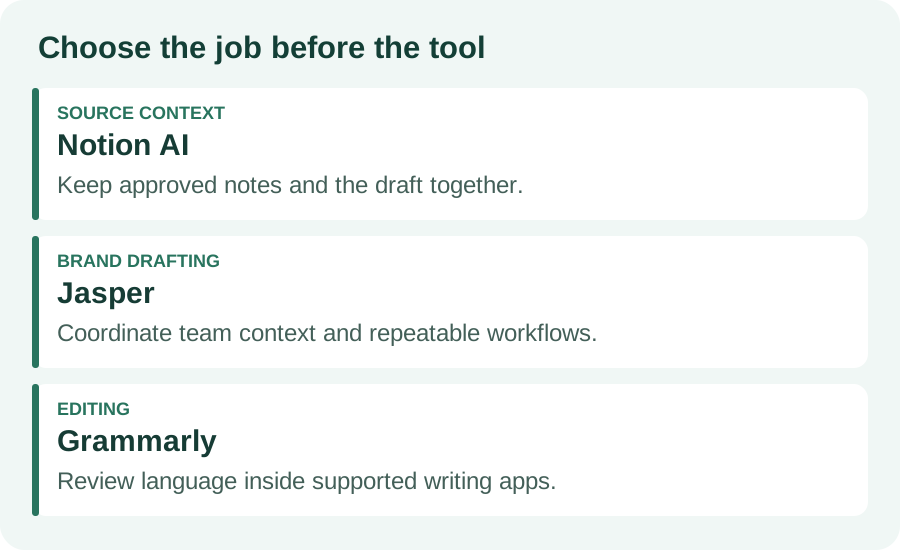
If you publish alone, use the workspace you already maintain and a manual review checklist first. If several people produce content for one business, evaluate the handoff from brief to review and publication, not just how quickly a tool fills a page. A tool that produces a longer draft can still leave you with more editing work.
2. Match each tool to a concrete blogging task
Notion AI: keep source notes and the draft together
Notion documents inline writing help, outlines, summaries, tone changes, and content generated from workspace context. For a blog post, keep a page containing the reader question, approved notes, source URLs, and the intended action. Ask for an outline from that material before requesting full sections. When the draft cites a source, open the original and check what it actually supports.
This is a good fit if you already write in Notion and want fewer transfers between notes and a draft. It is less compelling if moving your research into Notion creates a second filing system. Workspace access and connected-source permissions matter; mentioning a page is not a reason to assume every answer is complete or current. Check current AI availability and limits before buying a plan.
Jasper: coordinate a marketing team’s brand context
Jasper describes a marketing platform with agents, content pipelines, and Jasper IQ for brand voice, style guidelines, audience profiles, and product knowledge. Its public site lists blog-post creation among its marketing tasks. Evaluate it when the recurring problem is keeping several writers aligned on the same product and audience, rather than finding any tool that can write paragraphs.
Prepare approved positioning, examples of your voice, and prohibited claims before evaluating a draft. Ask reviewers whether the output follows the brief and can be checked against the source material. Brand consistency is useful, but consistent language can still repeat an unsupported claim. Verify the current product scope, plan, integrations, and review controls instead of assuming a particular template is included.
Grammarly: review language where you already write
Grammarly documents idea and outline assistance, rewriting for tone, length, or formality, and writing suggestions in supported applications. For an existing blog draft, select one difficult paragraph and ask for a clearer version with the same meaning. Compare the edit with the original before accepting it, especially for technical instructions, quotations, or limitations.
It fits a writer who already has a research and publishing setup but wants help with sentence-level review. It does not replace the original sources or your subject expertise. A smoother sentence can accidentally turn “may help” into a promise. Check app compatibility and current prompt allowances, and keep the first version so you can undo a rewrite that changes the claim.
3. Build a source-based brief before drafting
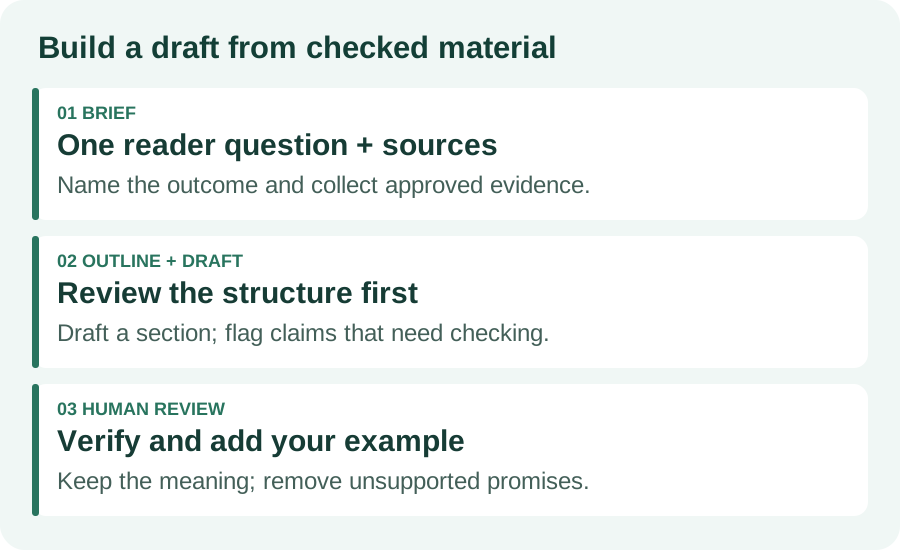
Begin with one reader problem and one useful result. For a tutorial, the result might be a completed setup; for a comparison, a decision with clear tradeoffs. Collect primary documents, your own observations, and any permitted examples. Label each note as a verified fact, your interpretation, or a point that still needs checking. Keep private client details out of prompts unless you have permission and have reviewed the provider’s data controls.
Use the prompt below with your chosen writing tool. It is a reusable editorial brief, not a claim about an actual model response. Replace the brackets and attach the source material. Request an outline first so you can correct a missing step before it becomes a long, polished draft.
Reader: [who is asking, and what do they already know?] Question: [one specific problem] Outcome: [what the reader can do after this post] Approved evidence: [source URLs and checked notes] Original contribution: [your example, observation, or comparison] Constraints: [scope, terminology, and claims to avoid] Task: propose an outline. For each section, name the evidence it needs. Mark unsupported points [VERIFY]; do not invent results, quotations, or prices. After I approve the outline, draft one section at a time. End with a relevant next action.
Review the outline for the actual steps a reader must take. Merge overlapping headings, remove sections that merely restate the introduction, and add prerequisites or failure cases. If the tool supplies a URL, verify that the page exists and supports the specific statement. A plausible-looking citation is only a lead until you check it.
4. Edit one example before expanding the article
Here is an illustrative revision for a post about blog-writing tools. It is an editorial example written for this guide, not a customer result or a benchmark of any product. The aim is to replace a broad promise with a task, a decision, and a check the reader can perform.
Draft | Issue | Useful revision |
“AI writes perfect, SEO-optimized blogs in minutes.” | Promises speed, quality, and rankings without evidence | “Use AI to propose an outline from approved notes, then verify the claims and add your own example.” |
“Every blogger needs three AI subscriptions.” | Assumes a stack before identifying the problem | “Start with the tool that fits your repeated bottleneck; test one article before adding another.” |
“The best tool is the most powerful.” | Does not define the decision | “Compare source handling, editing effort, workspace fit, and cost for your actual publishing process.” |
Apply the same review to your own draft: can a reader tell what to do next, why that step matters, and what evidence supports it? Add a small original example, an annotated comparison, or a troubleshooting note that would be missing from a generic answer. Keep any invented scenario clearly labeled. Do not turn a hypothetical saving or result into a testimonial.
5. Run the publishing checklist
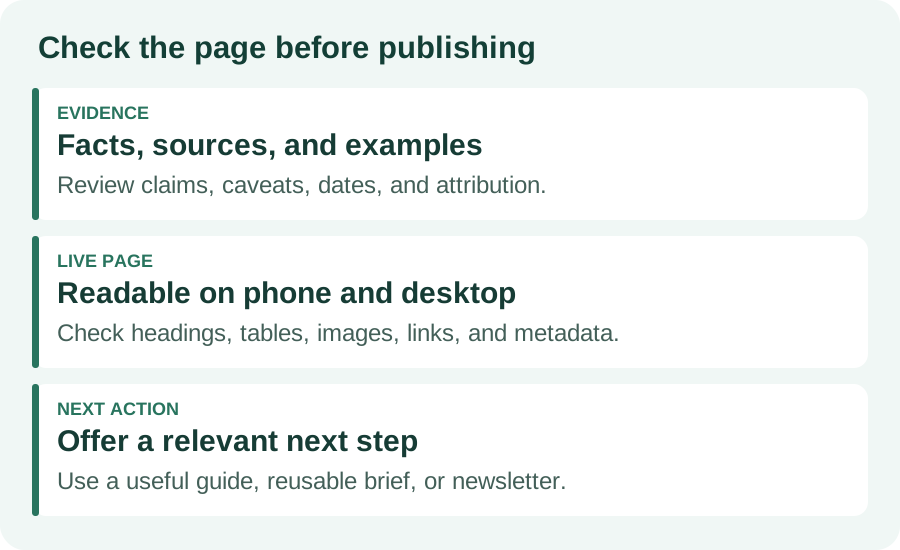
Check every factual claim against its source, including prices, limits, dates, product names, and attributed quotes. Test instructions in the relevant environment when practical, and state what remains untested. Read for repeated paragraphs, vague transitions, and unsupported superlatives. Preserve caveats when shortening sentences. Add meaningful headings and descriptive image text, and check that screenshots or diagrams explain something useful.
In your publishing system, preview the title, description, images, tables, and links on a phone as well as a desktop. Confirm the page has the intended canonical URL and allows indexing when it should. Make the next action match the article: a related tutorial, a reusable brief, or a newsletter signup. Do not imply that the reader can use a feature your site does not provide.
Google’s guidance says generative AI can help with research and structure, while many generated pages without added value may violate its scaled-content policy. It emphasizes accuracy, quality, relevance, and manual review. That applies to titles, descriptions, structured data, and image text as well as the article body. No writing assistant can promise a search position.
6. Judge the workflow after one published post
Record how much checking and rewriting the draft required, whether reviewers found unsupported claims, and whether the final piece answered the reader’s question. Keep the tool if it repeatedly improves the work you need done. If the main problem remains weak sources or unclear positioning, fix the brief before adding another generator.
After publication, review the page’s search queries, impressions, clicks, and relevant next-action outcomes over complete comparison windows. Low impressions, low click-through, and readers leaving without a useful next step call for different investigations. A change in any one number does not establish that the tool caused it. Keep the article useful and current, and revise a specific weakness rather than rewriting everything at once.
Use the brief above on your next draft. For more practical workflows, browse the CharliiAI guides or use the existing newsletter form on this page to receive future articles.
Frequently asked questions
Which AI tool should I start with for blog writing?
Start with the task that slows you down. Notion AI fits source notes and drafts in a Notion workspace; Jasper fits a marketing team coordinating brand context; Grammarly fits editing in supported writing apps. Try one real article before adding another subscription.
Can I use an AI writing tool for free?
Some providers offer limited complimentary responses or a free tier, while other features require a paid plan. Check current limits, account permissions, and renewal terms on the official product page. A trial is not evidence that all future articles will be free.
Will an AI blog writer make my article rank on Google?
No tool guarantees a ranking. Google emphasizes accuracy, relevance, and value for readers, and warns against generating many pages without added value. Verify the draft, add useful original material, and assess search performance after publication.
Do I need a separate research, drafting, and editing tool?
Not necessarily. One writing workspace plus your original sources and a manual editing checklist may be enough. Add a specialized tool only when a repeated bottleneck remains and its benefit exceeds the cost and extra handoffs.
MANUAL INQUIRY
Need ClaudeCode or GPT recharge help?
Use the inquiry pages for ClaudeCode, GPT recharge, assisted purchase, and team sourcing.
Automatic payment is not configured. Pricing, region support, and timing are confirmed manually.